Loki Checkout
The main Magento 2 core module of the LokiCheckout is called LokiCheckout_Core. It contains the barebones functionality of the checkout, based on another module called Loki_Components (plus some other modules). It also offers themes and grid layouts to modify the entire checkout quickly.
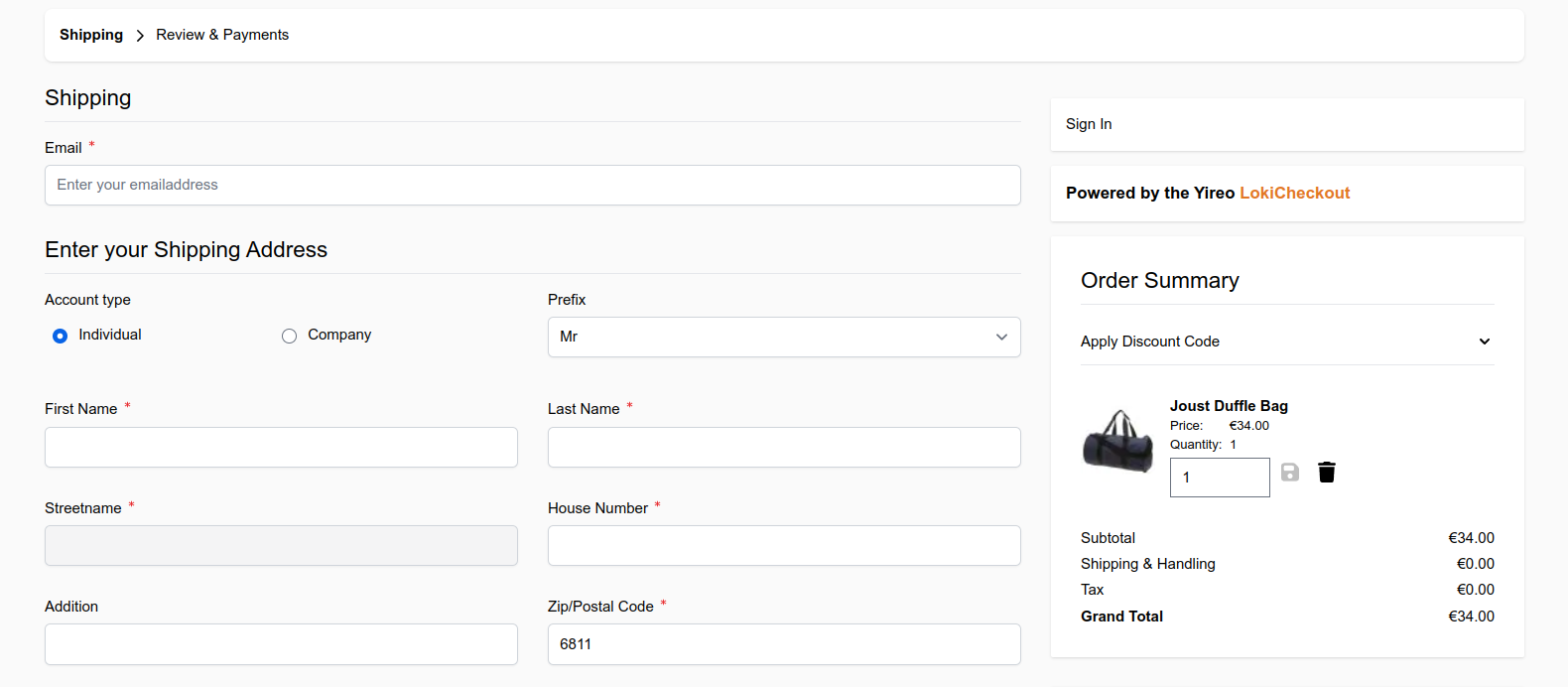
The features of the core module are actually documented througout this site. So on this page, the focus is only to discuss the configuration settings of this module.
Configuration settings
All configurations are found under Store > Configuration > Loki > Loki Checkout.
loki_checkout/general/enable
loki_checkout/general/theme
loki_checkout/general/grid_layout
loki_checkout/general/license_key
loki_checkout/debug/enable
loki_checkout/debug/html_hints
loki_checkout/debug/debug_block
loki_checkout/fields/enable_same_as_billing
loki_checkout/fields/hide_region_when_optional
loki_checkout/fields/enable_vat_id_only_for_company
loki_checkout/fields/capitalize_country_in_preview
loki_checkout/shipping/select_default_shipping_method
loki_checkout/billing/select_default_payment_method
loki_checkout/cart/max_items_visible_count
loki_checkout/newsletter/default_value
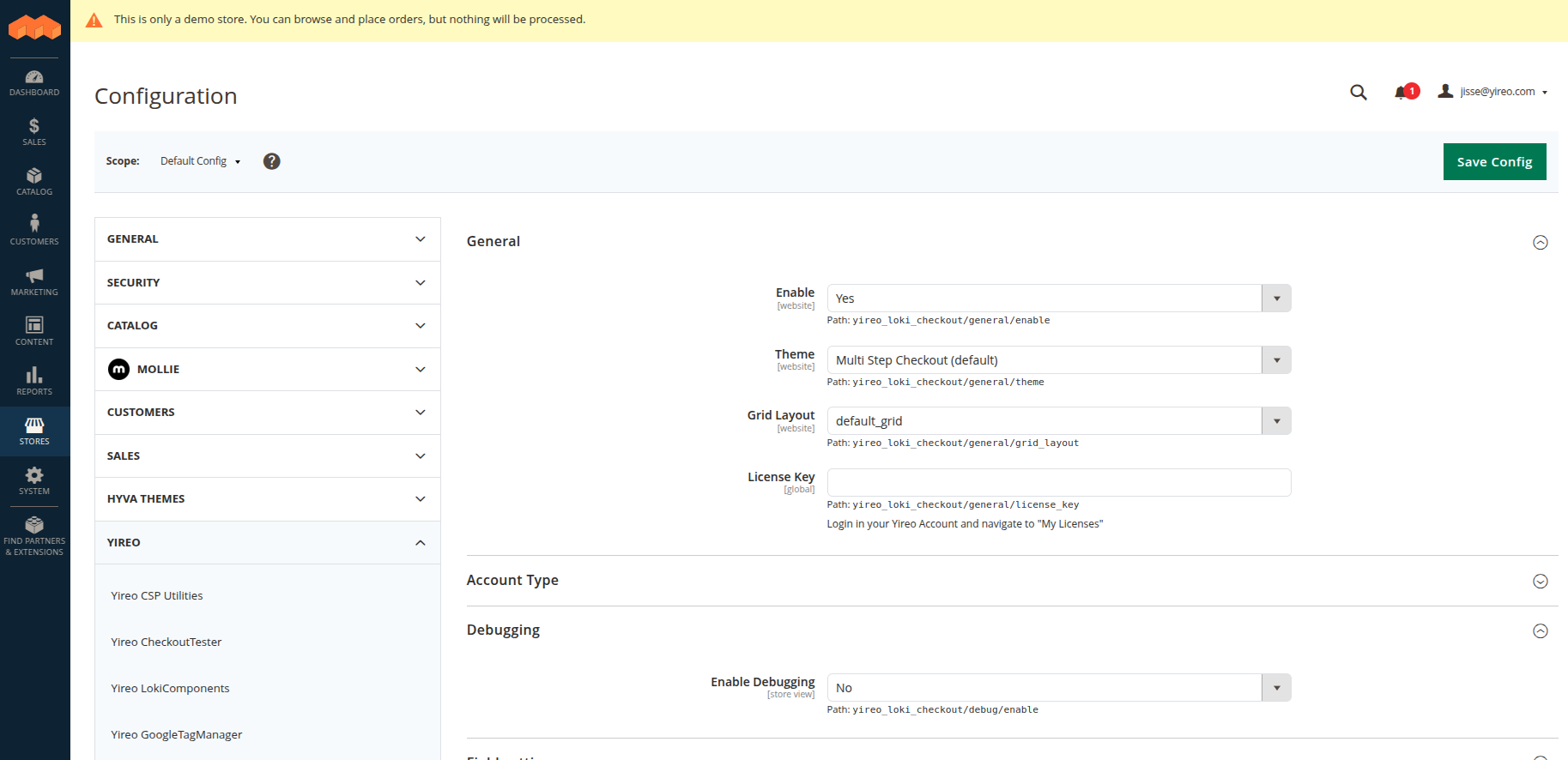
Some highlights of these settings:
- General > Skin: Switch between the multi-step checkout (Default Skin (Multi Step)) and the One Step Skin.
- General > Address Grid Layout: Choose how the address fields are arranged (by default Default grid).
- Field settings > Enable Same As Billing Checkbox: Show a checkbox My billing and shipping address are the same, so customers do not need to enter their address twice (enabled by default).
- Field settings > Hide Region When Optional: Hide the region field for countries where it is not required (enabled by default).
- Field settings > Enable Vat ID Only For Companies: Only show the VAT ID field once a company name has been entered (disabled by default).
- Field settings > Capitalize Country In Address Preview: Show the country in uppercase in address summaries (disabled by default).
- Shipping settings > Select Default Shipping Method and Billing settings > Select Default Payment Method: Automatically select the first available method.
- Cart settings > Maximum items visible: The number of products shown in the sidebar before the customer needs to expand the list (by default 3).
- Newsletter settings > Subscribe by default: Check the newsletter checkbox by default.
- Debugging: Options for developers only. Keep these disabled in production.